
What Details Should You Actually Record for Each Tool?
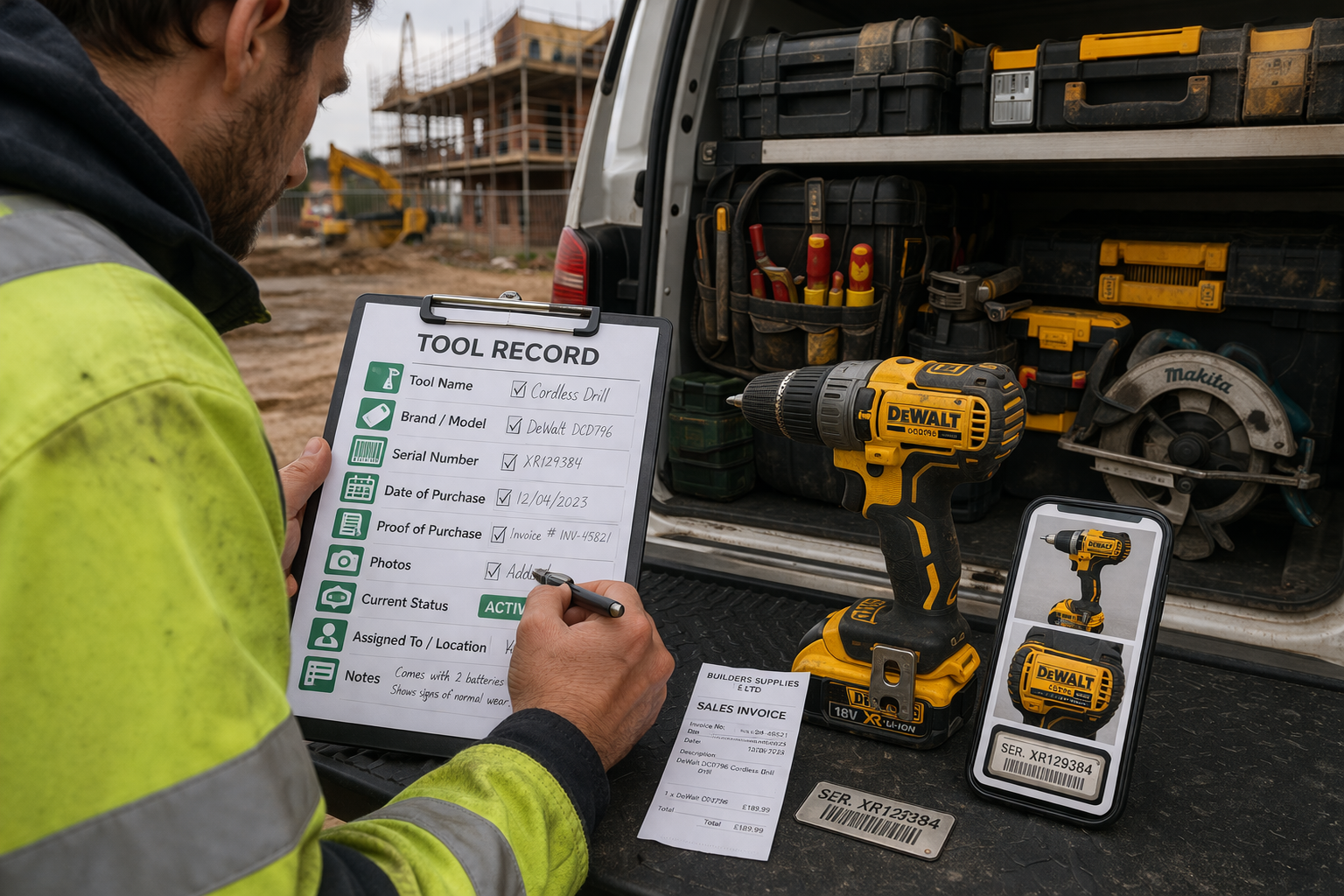
A lot of trade businesses know they should keep a tool register.
The problem is, many are not sure what should actually go into it.
So they start a list, add a few tool names, and leave it there.
That is better than nothing.
But if the record is too basic, it will not help much when you actually need it.
A proper tool record should do more than remind you that you own a drill or a saw.
It should help you:
identify the tool
prove ownership
keep track of condition
know where it is meant to be
recover information quickly if something goes wrong
That only happens if the right details are recorded from the start.
Why basic lists are not enough
A simple list of tool names might tell you what you own.
But it will not tell you:
which drill is which
when it was bought
whether it is still active
who has it
what proof you have for it
That is where a lot of trade businesses get caught out.
They think they have a tool register, but really they just have a rough inventory.
And when a tool goes missing, gets damaged, or needs replacing, the missing details become a problem.
The core details every tool record should include
If you want a tool register to actually be useful, each tool should have a clear record.
Here are the key details worth keeping.
1. Tool name
Start with the obvious.
Record what the item is in plain language:
cordless drill
circular saw
breaker
laser level
Keep the naming consistent so records are easy to search and compare.
2. Brand and model
This helps distinguish one tool from another.
For example, “drill” is too vague.
A better record would be:
DeWalt DCD796 cordless drill
Makita DHS680 circular saw
This makes replacement, servicing, and identification much easier.
3. Serial number
This is one of the most important details you can record.
Serial numbers help you:
prove ownership
identify specific tools
support insurance claims
confirm recovered tools are yours
If your team records only one extra thing, make it this.
4. Date of purchase
Knowing when a tool was bought is useful for:
warranty checks
replacement planning
proving ownership
understanding tool age
Even an approximate month and year is better than nothing.
5. Proof of purchase
This could include:
receipt
invoice
order confirmation
supplier reference
You do not want this information buried in old emails when you need it quickly.
6. Photos
Photos make tool records much more useful.
Try to include:
the full tool
serial number label if visible
any markings or identifiers
condition at the time of upload
This is especially helpful for proving ownership and checking condition later.
7. Current status
Every tool should have a clear status.
For example:
active
in use
missing
damaged
stolen
under repair
Without status, it is much harder to know whether something is available or if it needs attention.
8. Assigned location or person
If tools move between vans, jobs, and team members, this matters a lot.
A good record should show whether a tool is:
assigned to a van
on a specific job
in storage
with a named team member
This improves accountability and reduces time wasted asking around.
9. Notes
A notes field helps capture anything specific, such as:
identifying marks
service history
damage notes
accessories included
special storage location
Not every tool needs detailed notes, but having the option is useful.
What matters most if you are starting from scratch
If creating full records for every tool feels overwhelming, start with the essentials.
Prioritise:
tool name
brand and model
serial number
photo
proof of purchase
current location or assignment
Start with your most valuable or most-used tools first.
That will give you the biggest benefit early on.
Common mistakes to avoid
A lot of tool records become unreliable because of a few common issues.
Inconsistent naming
If one tool is listed as “drill”, another as “cordless drill”, and another by model number only, records become messy.
Missing serial numbers
This is one of the biggest gaps in most registers.
No status tracking
If tools are listed but not updated, you still do not know what is available.
Records stored in different places
Photos in phones, receipts in emails, names in spreadsheets — that setup quickly becomes hard to manage.
Why better records save time later
Recording the right details takes a bit more effort at the start.
But it saves time later when you need to:
check what you own
confirm where a tool is
prove ownership
deal with damage or loss
replace the right item
Good records reduce friction across the whole business.
A simpler way to keep everything together
This is where a dedicated system helps.
Instead of keeping names in one place, photos in another, and receipts somewhere else, tools like ToolSafe make it easier to keep everything in one record.
That means less admin, better visibility, and fewer gaps when you need information quickly.
Final thought
A tool register is only as useful as the information inside it.
If your records only show basic tool names, there is a good chance you are missing the details that matter most.
The better the record, the more useful it becomes.
Especially when something goes wrong.
Get started
If you want a simple way to store tool details, proof of ownership, and status in one place: