
How to Get Your Tool Register Set Up Properly From Day One
A lot of trade businesses only start thinking seriously about tool tracking after something goes wrong.
A tool goes missing.
A van gets broken into.
A team member cannot find what they need.
Or the business grows to the point where memory is no longer enough.
That is usually when people decide they need a tool register.
The problem is, if you set it up in a rush, it often ends up incomplete, inconsistent, or difficult to maintain.
And once that happens, it quickly becomes another list nobody trusts.
Getting it right from day one makes everything easier later.
Why the setup matters
A tool register is only useful if people can rely on it.
That means it needs to be:
clear
consistent
easy to update
easy to check
detailed enough to be useful
If the setup is poor, problems usually show up fast.
Tools get logged in different ways.
Important details are missed.
Nobody is sure what should be recorded.
And the register becomes patchy almost immediately.
That is why the setup stage matters more than most people think.
Start with a clear purpose
Before you begin, decide what the register is for.
For most trade businesses, it should help you:
know what tools you own
see where tools are meant to be
prove ownership
check tool status
improve accountability
That sounds simple, but it matters.
Because if the register is only treated like a rough inventory, it will not support the business properly when tools move, go missing, or need replacing.
Decide what gets included
The next step is setting clear rules for what should go into the register.
At a minimum, it makes sense to include:
high-value tools
frequently used tools
tools shared across vans or team members
specialist equipment
anything difficult or expensive to replace
You do not need to start with every cable tie and screwdriver.
Start with the tools that matter most.
That makes the setup manageable and useful from the start.
Use consistent naming
One of the quickest ways to make a tool register messy is inconsistent naming.
For example:
Drill
Cordless Drill
DeWalt Drill
DCD796
All of those might refer to the same thing.
If different people enter tools in different ways, the register becomes harder to search, sort, and trust.
Pick a simple format and stick to it.
For example:
Brand + model + tool type
That makes records much easier to understand.
Record the right details from the beginning
This is where many businesses make life harder for themselves.
They create a list of tool names and think they will add the rest later.
Usually, they do not.
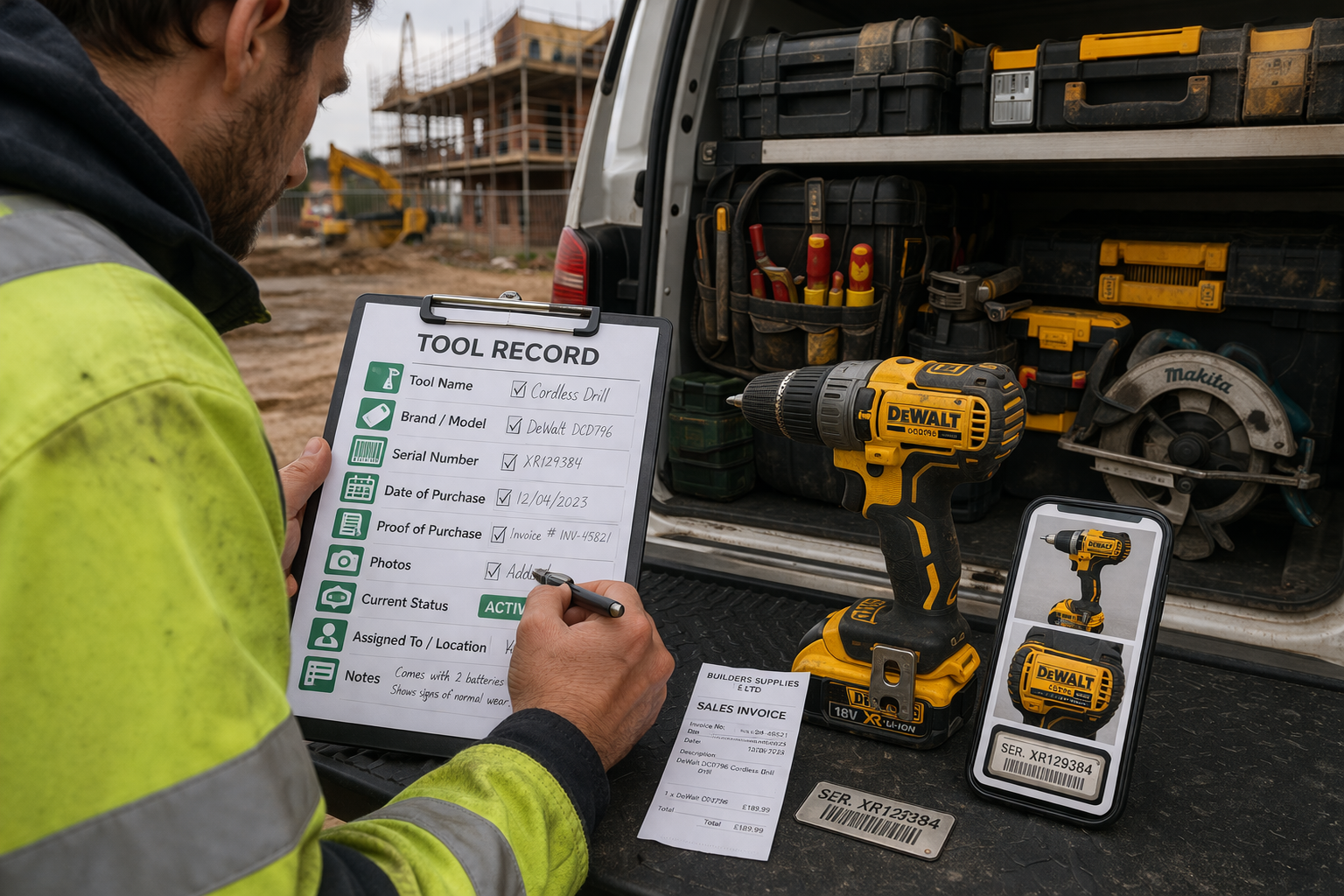
From day one, try to include:
tool name
brand and model
serial number
purchase date
proof of purchase
photos
current status
assigned location or person
notes if needed
The more complete the setup is at the start, the more useful the register becomes straight away.
Keep everything in one place
This is a big one.
If your tool names are in one list, receipts are in emails, and photos are sitting in individual phones, the system is already fragmented.
That leads to:
missing information
slow updates
extra admin
poor visibility
The goal should be one central place for tool records.
That way, when you need information, you know exactly where to look.
Assign ownership of the process
Even in a small business, someone needs to own the setup.
That does not mean one person has to manage every tool forever.
But it does mean someone should be responsible for:
checking the register is created properly
deciding what information is required
making sure new tools are added consistently
reviewing gaps early on
Without ownership, setup tends to drift.
And once people stop following the same process, the register becomes less reliable.
Build the habit early
The easiest time to build good habits is right at the start.
That means deciding things like:
when new tools get added
who updates movements
how damaged or missing tools are marked
how often records are reviewed
If these habits are built into the business early, the register stays useful.
If not, it often becomes outdated within weeks.
Start small, then build
A proper setup does not mean doing everything at once.
Start with your core tools first.
Focus on:
the highest value items
the most used equipment
anything shared between people, vans, or jobs
Once that is in place, you can expand the register over time.
Starting small but setting it up properly is much better than trying to do everything at once and ending up with a mess.
Why this saves time later
A lot of businesses see tool registers as admin.
But a good setup actually reduces admin later on.
It makes it easier to:
find information quickly
avoid duplicate purchases
check what is missing
prove ownership
stay organised as the business grows
That is the real benefit.
A proper setup creates less stress, not more.
A simpler way to get started
This is exactly where dedicated systems can help.
Instead of building your own process from scratch and hoping everyone follows it, tools like ToolSafe make it easier to set up a proper tool register from the beginning.
That means:
clear records
one place for tool details
easier updates
better visibility across the business
Final thought
The best time to set up a proper tool register is before you urgently need one.
Because once tools start moving, teams grow, or something goes missing, gaps in the setup show up quickly.
A good register does not have to be complicated.
It just needs to be built properly from day one.
Get started
If you want a simple way to store tool details, proof of ownership, and status in one place: